QR CODE GENERATOR
6 QR types · Custom colors · Logo support · No API required
 Low contrast. For better scanning, use a darker QR color and a lighter background.
 Small QR codes may be harder to scan when printed.
Your QR Code
 Generated locally in your browser · No API calls · Your QR data stays on your device
Free QR Code Generator
Create a QR code quickly with this free QR Code Generator. Enter the information you want to share, customize the appearance, and generate a QR code ready to download or use. You can create codes for websites, text, contact details, Wi-Fi information, and other supported content without installing software.
How the QR Code Generator Works
Using the generator is simple. Choose the type of information you want your QR code to contain, enter the details, and the tool creates the code for you. The QR code updates as you make changes, so you can see the result before saving it.
You can also adjust the size, colors, and other available options. This makes it easier to create a QR code that fits your website, flyer, card, poster, label, or other project.
For example, suppose you want to create a QR code for your website. Select the website or URL option, enter your web address, and the generator creates a scannable code. You can then adjust its appearance and download the finished result as an image.
Customize Your QR Code
A QR Code Generator is more useful when you can control how the finished code looks. This tool includes customization options that let you choose from preset themes or select your own foreground and background colors.
A built-in contrast check can also warn you when the selected colors may make the code difficult to scan. Keeping enough contrast between the QR pattern and its background can help scanners recognize the code more easily.
You can also change the QR code size. Very small codes may not be suitable for every printed project, so the generator provides a warning when the selected size becomes too small.
Add a Logo
If you want to give your QR code a more branded appearance, you can optionally add a logo or image in the center. The selected image is placed over the middle of the QR code and shown in the preview.
Logo use should be kept reasonable because covering too much of a QR code can affect scanning. If you remove the logo, the QR code returns to its normal appearance.
Download, Copy, Save, and Share
Once your QR code looks the way you want, you can use the available action buttons to save or share it. Download options allow you to save the generated code as an image, while the copy option can place the QR image on your clipboard when supported by your browser.
You can also save your current settings in the browser for later use. The share option uses your device or browser's available sharing features when supported. If direct sharing is unavailable, the tool can provide another simple way to share the page.
A reset option lets you quickly return everything to the default settings and start again.
QR Code Generator for Everyday Projects
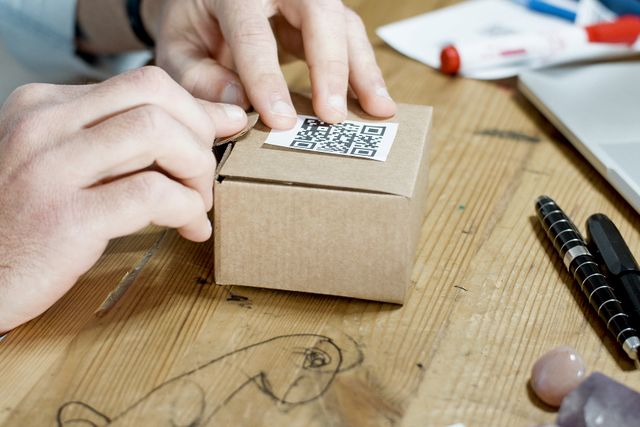
QR codes can be useful in many everyday situations. You might add one to a business card, event invitation, product label, menu, classroom material, printed instructions, or promotional flyer.
Because the generator works directly in your browser, you can create and customize a QR code without needing a separate application or account.
Frequently Asked Questions
What can I use a QR Code Generator for?
You can use a QR code to share information such as a website address, text, contact details, Wi-Fi information, or other supported data.
Can I customize my QR code?
Yes. You can adjust available colors and size, choose a preset theme, and optionally add a logo to the center.
Can I download my QR code?
Yes. The generated QR code can be downloaded as an image for use in digital or printed projects.
Do I need to install software?
No. The generator works in your web browser, so you can create a QR code directly from the page.
Why does the tool warn about color contrast or size?
QR codes need to remain easy for scanners to recognize. Very low contrast or an overly small code can make scanning more difficult, especially in printed materials.